Cubby NetOps · on-prem security and network

Watch your server network. Run DNS. Catch anomalies on site.

Cubby NetOps is an enterprise platform that runs on your own servers. CubbyFollow collects traffic, DNS, and port summaries from agents; CubbyDdi manages IPAM, authoritative DNS, DHCP, and RPZ under the same identity.

On-prem · not SaaS Single sign-on · shared Identity Local AI · Ollama
CubbyFollow · Live display
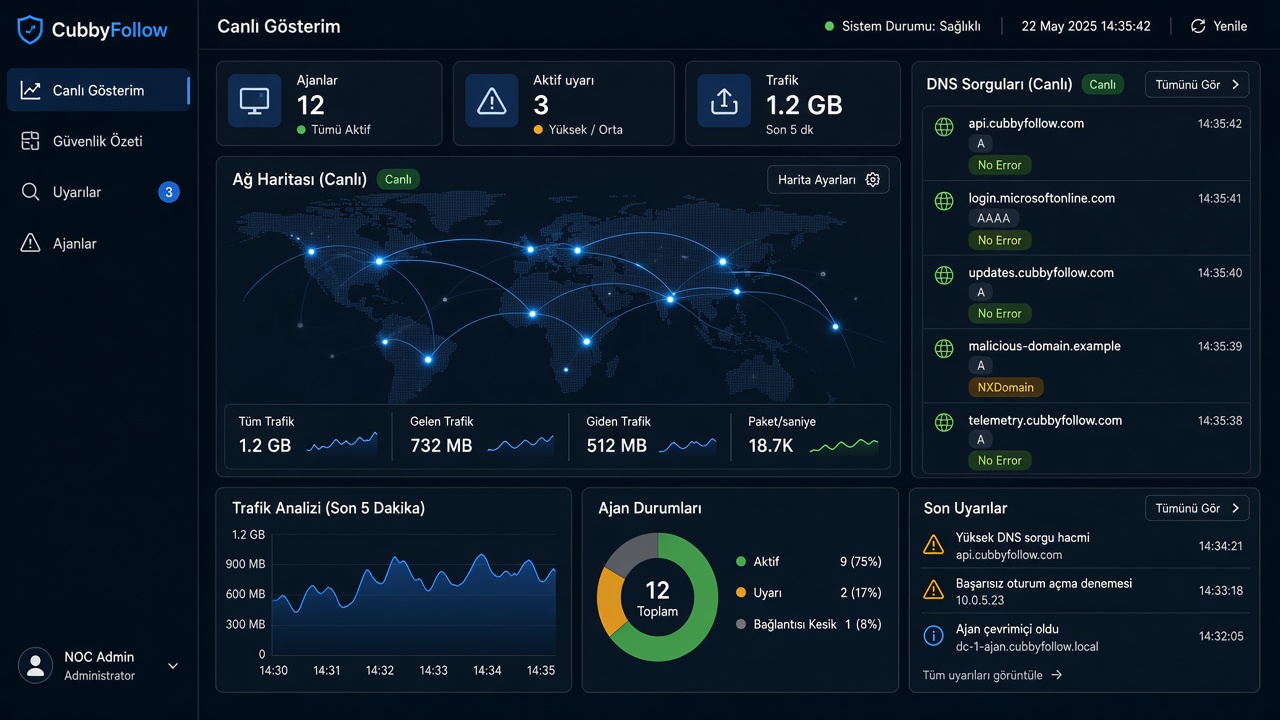
CubbyFollow live NOC screen: network map, agent status, and traffic summary

Cubby NetOps

Monitoring and DDI under one roof

Operations watches servers with Follow; the network team manages addresses, DNS, and DHCP with Ddi. Shared login, shared inventory.

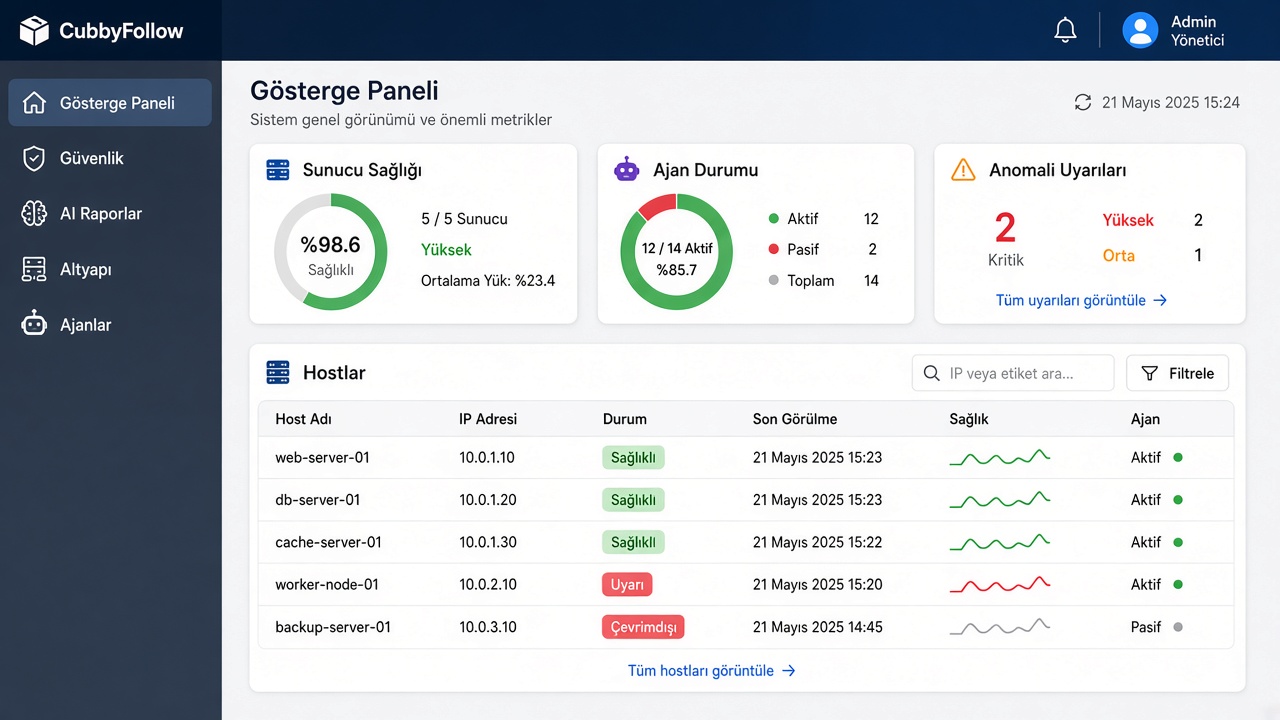
CubbyFollow admin dashboard with KPI cards and agent list
CubbyFollow

Server monitoring and security

CubbyAgent on Windows and Linux sends header summaries to the core without storing payload. The live panel produces alerts, blocks, and AI reports.

  • Live NOC wall and SignalR notifications
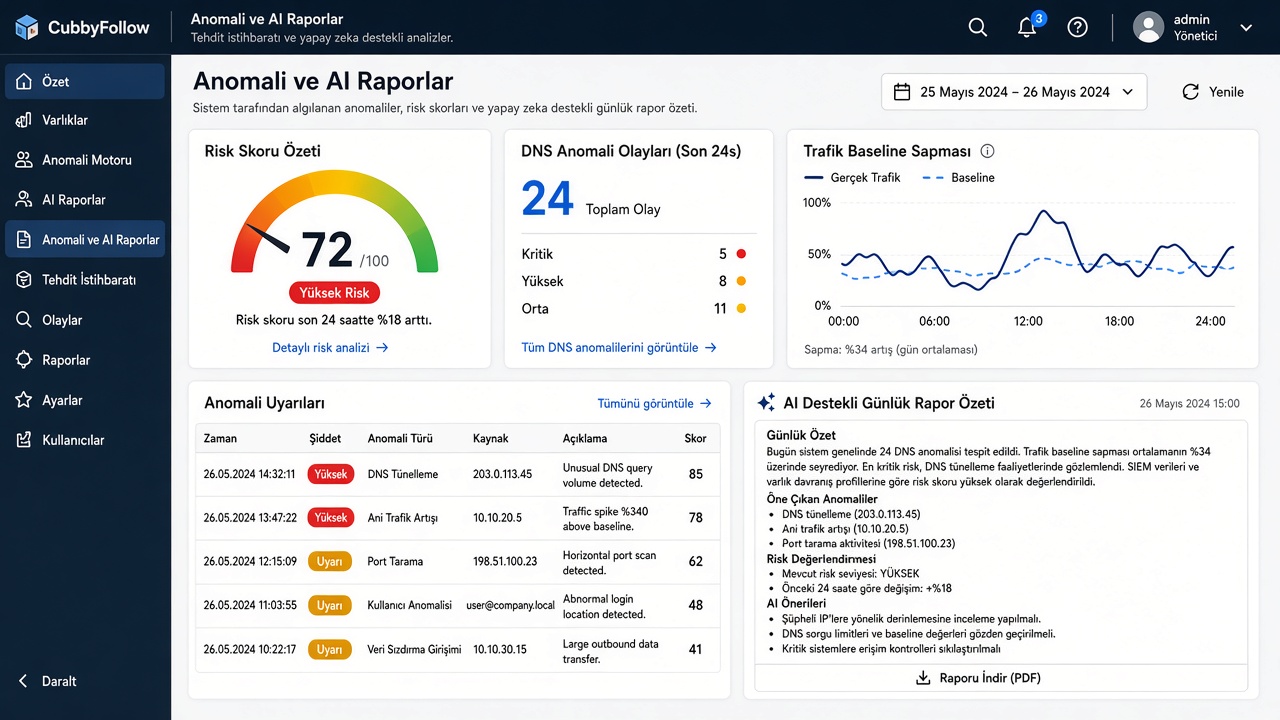
  • Traffic / DNS baselines and anomaly alerts
  • Agentless probes: Ping, SSH, SNMP, WinRM
  • Host-firewall IP and port blocks
  • Local LLM daily and DNS reports
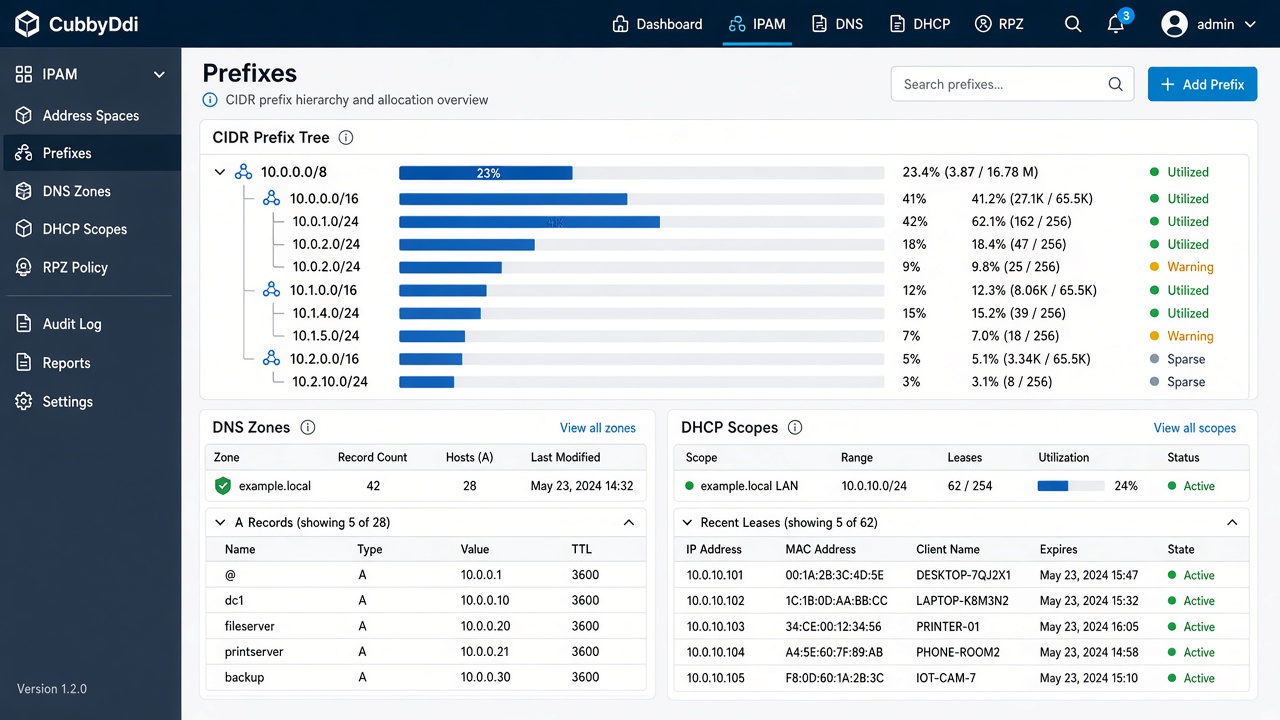
CubbyDdi IPAM prefix tree, DNS zones, and DHCP scopes
CubbyDdi

IPAM, DNS, DHCP, and RPZ

Manage DDI from address spaces down to leases. Import hosts discovered in Follow; push policy to the edge with CoreDNS and DHCP.

  • Address space, VRF, prefix, and IP inventory
  • Authoritative DNS zones and records
  • DHCP scopes, pools, reservations, and leases
  • RPZ policy, hits, and threat feeds
  • DNS anomaly thresholds and event board

Why Cubby NetOps

What operators see, what admins control

It is not a packet recorder, a SIEM, or an antivirus. It keeps network metadata, DNS events, and DDI inventory in one view.

Live monitoring

Agents send traffic and DNS summaries to the API. The panel shows live status, maps, and alerts over the hub.

Anomaly and AI reports

Baseline drift, DNS events, and optional local Ollama scoring. Daily and weekly reports stay inside your network.

On-prem licensing

Data stays in your PostgreSQL. Role-based access and feature-flagged licenses scale from Standard to Enterprise.

Agent and agentless

Install an agent on servers, or probe phones, printers, and routers with Ping, SNMP, SSH, or WinRM.

Response

From alert to host-firewall action: IP or port blocks run on the agent and are accepted only from the defined core.

One identity

Follow, API, and Ddi share the same OpenID Connect identity. Admin, operator, and viewer roles stay separate.

Architecture

From the edge to the core, then the panel

All browser traffic flows through a reverse proxy. Agents write to the API; the DDI control plane pushes policy to the edge over REST and gRPC.

01

CubbyAgent

Collects traffic, DNS, and port summaries on the watched server and sends them to the core over a secure API.

02

Follow API

Writes data to PostgreSQL, publishes the live hub, and forwards agent commands (block / unblock).

03

Admin panel

NOC, security summary, alerts, AI reports, infrastructure, and agent management in one UI.

04

CubbyDdi

IPAM / DNS / DHCP / RPZ control; CoreDNS and DHCP edge apply policy on the discovered network.

Enterprise use

Your data stays home

This is not a cloud service that depends on the public internet. License refresh is optional; the real install lives on an isolated network.

Your own servers

Single-host Docker Compose or an HA profile. PostgreSQL, Redis, and optional NATS/etcd stay with you.

No payload, only summaries

Traffic content is not stored. The product works from IP, port, size, DNS name, and direction metadata.

Permission matrix

Admin / Operator / Viewer and matching DDI roles. Features unlock with license flags.

Export to SIEM

Anomaly events can be exported as JSONL. Cubby NetOps does not replace a SIEM; it feeds one.

Contact

Want more detail?

Write to us about Cubby NetOps install, license scope, agent count, or DDI integration. The form sends your message from this page.

Email
info@cubbysoft.com
Fill in the form

Information request

Your message is sent directly to info@cubbysoft.com.